

Opus Clip: review, test, pricing and alternatives (2026)
Turns your long videos into short, share-ready viral clips.
Opus Clip — Turns your long videos into short, share-ready viral clips. Creators and podcasters repurposing long content into short clips. Editorial rating: 4/5 (Recommended).
What is Opus Clip?
Opus Clip solves a very concrete modern-creator problem: a one-hour podcast or a live stream hides a dozen 30-second gems perfect for TikTok, but spotting and editing them by hand takes forever. Opus analyzes the long video, automatically detects the best moments and turns them into turnkey vertical clips — animated captions, auto-reframe that follows the face, and even a 'virality score' to prioritize which excerpts to publish.
It has become the reflex of podcasters and creators who want to spin their long format into short content without hiring an editor: you upload, you get a dozen post-ready clips.
Worth knowing: the free mode adds a watermark and works on minute quotas, and the famous virality score stays indicative (a decision aid, not a crystal ball). Distinct from a Submagic, which dresses up an already-chosen clip: Opus does the upstream work of finding and cutting the right moments.
Opus Clip review: our hands-on test
Opus Clip
Official visual coming soon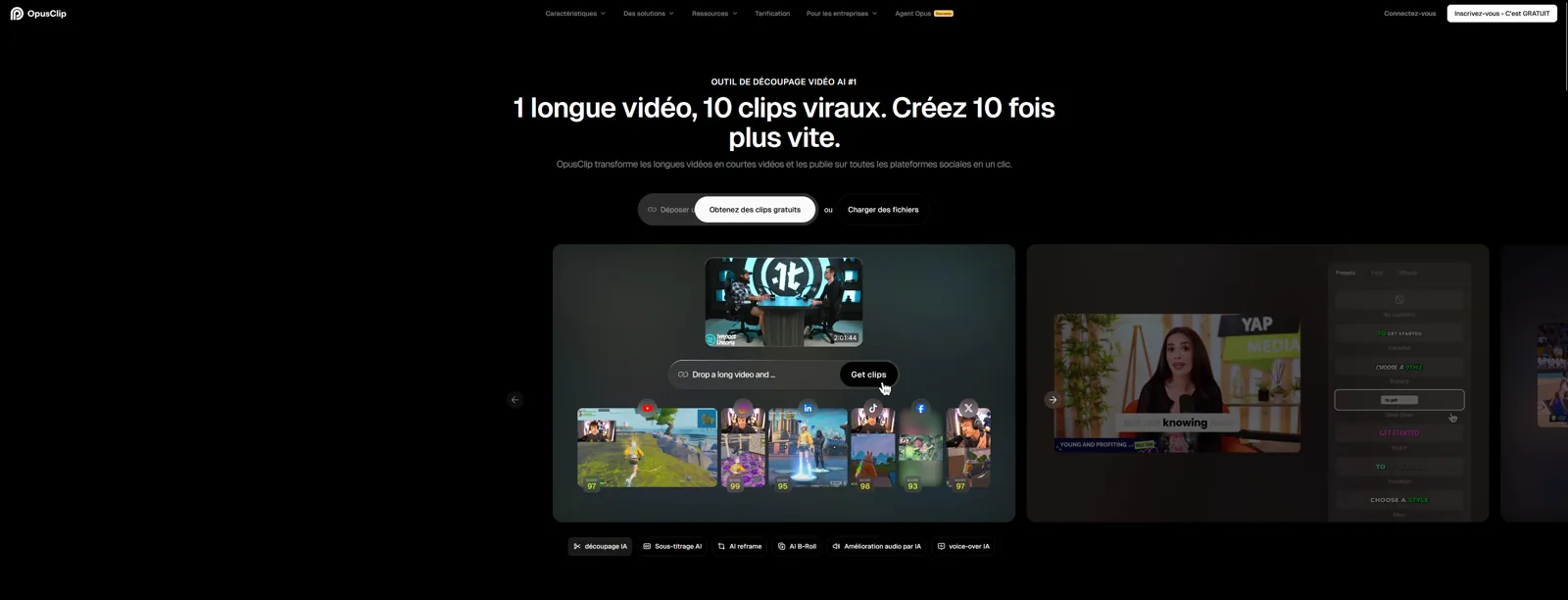
The go-to for turning long-form into short clips without manual editing. A real time-saver.
Opus Clip pricing
Indicative pricing (June 2026), subject to change — check the official site.
Pros and cons
Strengths
- Automatic best-moment detection
- Auto reframe and captions
- Virality score
Weaknesses
- Watermark on the free tier
- Virality score is indicative
- Minute-based quotas
Who is it for?
Creators and podcasters repurposing long content into short clips.
Use cases
Opus Clip vs Google DeepMind
| Opus Clip | Google DeepMind | Synthesia | |
|---|---|---|---|
| Pricing | Free (watermark) · paid plans — see Opus Clip | Depends on the Google / Gemini plan (free / paid) | From $29/mo |
| Level | Beginner | Pro | Beginner |
| Verdict | Recommended | Top pick | Recommended |
Opus Clip in video
Frequently asked questions
- Is Opus Clip free?
- Opus Clip offers a free version, then paid plans (Free (watermark) · paid plans — see Opus Clip).
- Who is Opus Clip for?
- Creators and podcasters repurposing long content into short clips.
- What are the alternatives to Opus Clip?
- Alternatives to Opus Clip include: Google DeepMind, Synthesia, Descript. Compare them to choose based on your needs and budget.
Best alternatives to Opus Clip

Google DeepMind
Google's AI lab and its whole model lineup: Gemini, Veo, Imagen, Nano Banana.

Synthesia
AI-avatar videos from a simple script.

Descript
Edit your videos and podcasts like a text document.